PoGadgets
Magnetic Under-Desk Cable Management Clips - ABS Adhesive Organizer
Couldn't load pickup availability
Cables on your desk are a solved problem. The Magnetic Under-Desk Cable Management Clips attach to the underside of your desk with high-strength adhesive and hold your cables in place — out of sight, within reach, and never tangled. Made from durable ABS with a 2kg load capacity, these clips work with USB cords, charging cables, power cords, and any other cable you want off your desk surface. Available in Black and White, in packs from 1 to 20 pieces.
Why Under-Desk?
Surface cable management is visible. Under-desk cable management is invisible. When your cables run along the underside of your desk instead of across the top, your workspace looks clean from every angle — not just when you tuck things away before a video call. The magnetic clips make it easy to route cables exactly where you want them and keep them there.
Why You’ll Love It
- Invisible organization: Clips mount under your desk, keeping cables completely hidden from the surface view.
- Magnetic hold: Cables snap in and out easily — no fiddling, no threading, no frustration.
- High-strength adhesive: No-nail, surface-safe installation that holds firmly without damaging your desk or walls.
- 2kg load capacity: Strong enough to hold multiple cables simultaneously without sagging or releasing.
- Durable ABS construction: Built for daily use. Resists cracking, warping, and discoloration over time.
- Black & White options: Match your desk color for a seamless, invisible look.
Features Explained
- ABS material: High-quality acrylonitrile butadiene styrene — the same durable plastic used in premium electronics housings. Lightweight, strong, and long-lasting.
- Magnetic cable retention: Cables are held by magnetic force, making them easy to insert and remove without tools or effort.
- No-nail adhesive: High-strength, surface-safe adhesive backing attaches to wood, metal, glass, and most desk surfaces without leaving marks or residue.
- 2kg max load: Each clip supports up to 2kg — more than enough for multiple charging cables or a power cord.
- Minimalist design: Small, low-profile form factor that disappears under your desk.
- Multiple pack sizes: From 1 piece to 20 pieces — buy exactly what your setup needs.
Choose Your Pack
| Pack | Quantity | Best For |
|---|---|---|
| 1PC | 1 clip | Single cable spot, trying it out |
| 2PCS | 2 clips | Two cable routing points |
| 3 Pack Black / White | 3 clips | Small desk, 2-3 cable routes |
| 4PCS | 4 clips | Medium desk setup |
| 3 Black + 3 White | 6 clips (mixed) | Mixed desk surfaces or shared setups |
| 6 Pack Black / White | 6 clips | Full desk cable management |
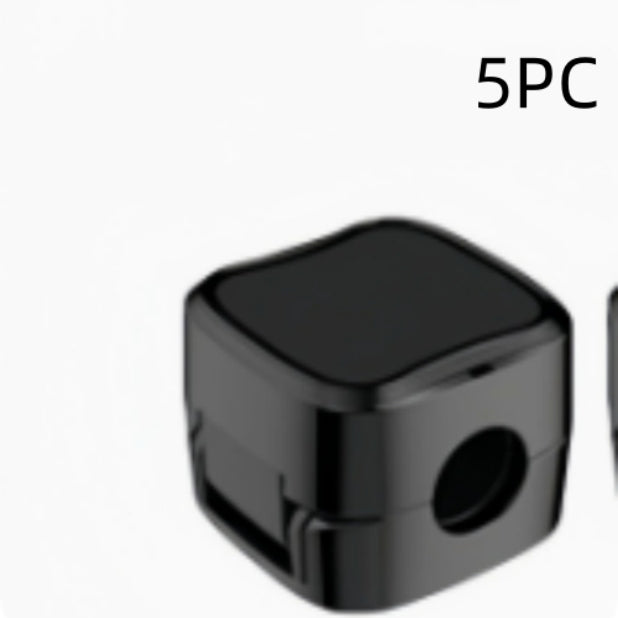
| Black 5pcs | 5 clips | Standard desk, all-black setup |
| Black 10pcs | 10 clips | Large desk or multiple cable runs |
| Black 12pcs / 12pcs White | 12 clips | Full workstation cable management |
| White 20pcs | 20 clips | Office-wide or multi-desk installation |
| Set 1-4 | Bundled sets | Complete cable management kits |
The Full Story
Cable clutter is one of those desk problems that seems minor until you actually fix it. The moment your charging cable stops sliding off the desk, your power cord stops tangling with your mouse cable, and your USB hub cable stops disappearing behind your monitor — you realize how much mental energy you were spending on something that should be invisible.
The magnetic design is what makes these clips different from standard adhesive cable holders. With a standard clip, you thread the cable through and it stays there. With a magnetic clip, you snap the cable in and out as needed — which means you can actually use the clip as a cable parking spot. Plug in your phone, snap the cable into the clip. Unplug your phone, the cable stays clipped under the desk, ready for next time. No more fishing for cables that have fallen behind your desk.
The no-nail adhesive is strong enough to hold multiple cables at 2kg of load, but surface-safe enough to remove without damaging your desk. It works on wood, metal, glass, and most smooth surfaces.
Black and White options mean you can match your desk color and make the clips genuinely invisible. On a white desk, white clips disappear. On a dark desk, black clips disappear. That’s the goal — a desk where the cables are managed so well that you stop noticing them.
Specifications
| Specification | Details |
|---|---|
| Material | ABS (Acrylonitrile Butadiene Styrene) |
| Colors | Black, White |
| Max Load per Clip | 2kg |
| Installation | No-nail, high-strength adhesive |
| Style | Minimalist, modern |
| Pack Sizes | 1, 2, 3, 4, 5, 6, 10, 12, 20 pieces |
| Compatible Cables | USB, charging, power, HDMI, and most standard cables |
What’s in the Box
- Magnetic Under-Desk Cable Management Clips (quantity based on selected pack)
How to Use
- Step 1: Clean the mounting surface (underside of desk or wall) with a dry cloth.
- Step 2: Peel the adhesive backing from the clip.
- Step 3: Press the clip firmly onto the surface and hold for 30 seconds.
- Step 4: Wait 24 hours for the adhesive to fully cure before loading with cables.
- Step 5: Snap your cables into the magnetic clip. They hold securely and release easily when needed.
Who Is This For?
- Remote workers who want a clean, professional desk setup without visible cable clutter.
- Gamers who need organized cable routing for multiple peripherals.
- Office professionals who want a tidy workstation that looks intentional.
- Anyone tired of cables sliding off their desk, tangling together, or disappearing behind furniture.
Frequently Asked Questions
Will the adhesive damage my desk?
No. The no-nail adhesive is surface-safe and designed to be removed without leaving marks or residue on most desk surfaces. For very delicate finishes, test on a small area first.
How many cables can each clip hold?
Each clip is designed to hold one cable securely. For multiple cables at the same routing point, use multiple clips side by side.
Does it work on glass desks?
Yes. The adhesive works on glass, wood, metal, and most smooth surfaces. Ensure the surface is clean and dry before installation.
How long does the adhesive last?
The high-strength adhesive is designed for long-term use. Avoid exposing the clips to extreme heat or moisture, which can weaken the bond over time.
Can I reposition the clips after installation?
The adhesive is designed for permanent installation. Repositioning is possible but may reduce adhesive strength. For best results, plan your cable routing before installing.
What cable sizes do the clips support?
The clips work with most standard cable diameters including USB-A, USB-C, Lightning, HDMI, and standard power cords.
Which color should I choose?
Choose Black for dark desks or setups where you want the clips to blend in. Choose White for light or white desks. The goal is for the clips to be invisible against your desk surface.
Does it come with a warranty?
All PoGadgets products are covered by our return policy and manufacturer warranty. Visit our Returns & Warranty page or contact our support team for full details — we’re happy to help.
How many clips do I need?
A typical desk setup with 3-4 cables needs 4-6 clips. A full workstation with multiple monitors and peripherals may need 10-12 clips. Use the pack size guide above to choose the right quantity.
Can I use these on walls or other surfaces?
Yes. The adhesive works on most smooth, clean surfaces including walls, the sides of desks, and monitor stands.
Share
- Secure Checkout
- 14-Day Returns
- Worldwide Shipping